
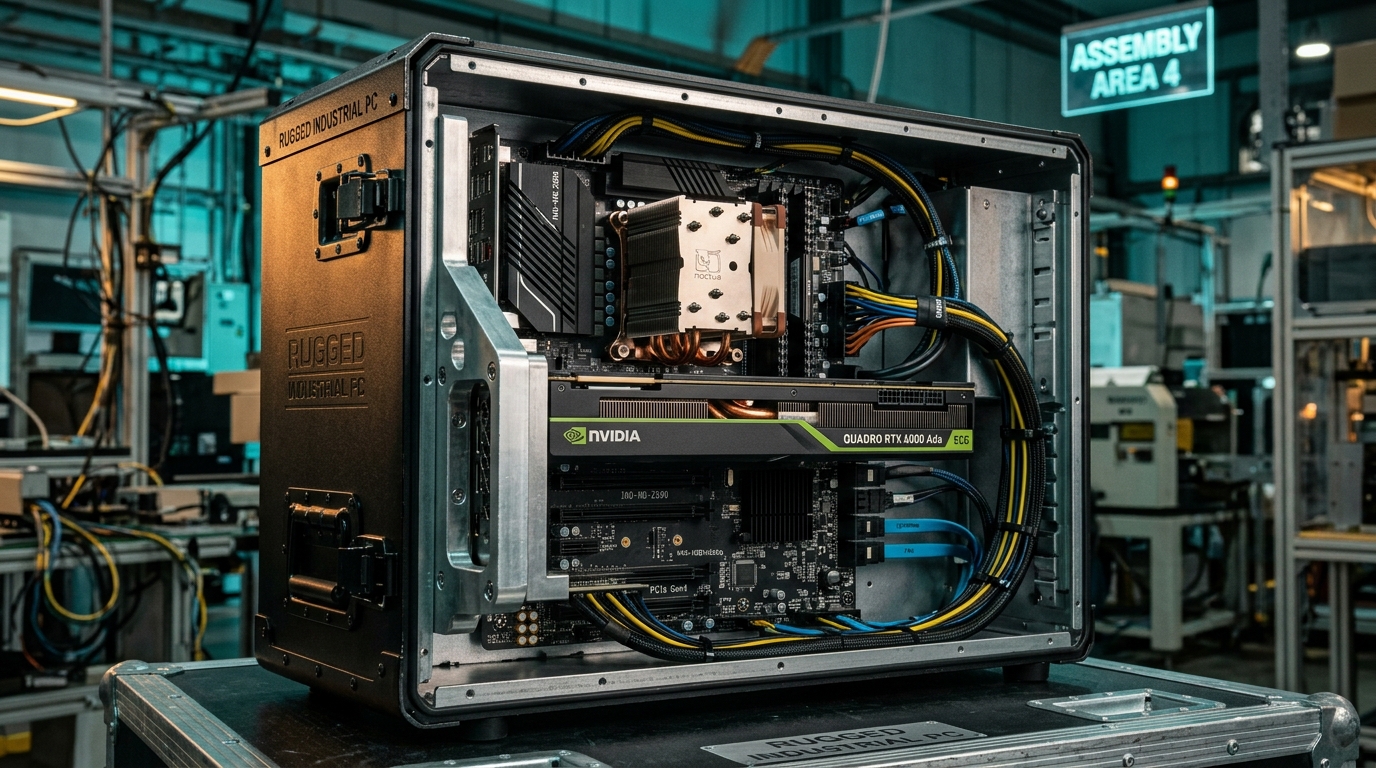
With the rapid deployment of deep learning inference, machine vision, and edge AI across modern manufacturing plants, demand for adding dedicated Graphics Processing Units (GPUs) or AI accelerators into industrial PCs (IPCs) and embedded motherboards has surged.
However, industrial deployment environments impose strict constraints on stability and operating conditions. Applying consumer desktop building habits to an industrial chassis often leads to throttled bandwidth, inadequate auxiliary power, physical collisions, vibration-induced disconnects, and severe internal thermal accumulation.
This technical guide walks through the critical hardware considerations engineers and system integrators must evaluate when expanding GPUs on industrial platforms.
1. Physical Slots vs. Electrical Lanes: Don't Judge by Appearance
A frequent pitfall for engineers reviewing industrial motherboard datasheets is assuming that a full-length PCIe x16 slot guarantees full PCIe x16 electrical bandwidth.
Mechanical vs. Electrical Realities
- Mechanical Slot Size: The physical exterior footprint of the connector (x1, x4, x8, x16).
- Electrical Lane Bandwidth: The actual soldered copper traces routed to the CPU or the Platform Controller Hub (PCH/chipset).
On many compact Micro-ATX, Mini-ITX, or embedded industrial motherboards, lane allocation is constrained by chipset limits and board density:
- Common Industrial Configuration: A physical PCIe x16 slot wired electrically for x8 or x4 lanes only (often documented in specifications as
1x PCIe x16 slot (operates in x4 mode)). - The Impact: While modern GPUs are backward- and forward-compatible and will boot successfully in x4 mode, high-throughput applications—such as multi-camera 4K industrial vision or frequent AI model weight reloading—will encounter severe data transmission bottlenecks.
PCIe Generation Bandwidth Reference
| Specification | Encoding Overhead | Single Lane (x1) Bandwidth | x4 Bandwidth | x8 Bandwidth | x16 Bandwidth |
|---|---|---|---|---|---|
| PCIe 3.0 | 128b/130b | 0.985 GB/s | 3.94 GB/s | 7.88 GB/s | 15.75 GB/s |
| PCIe 4.0 | 128b/130b | 1.969 GB/s | 7.88 GB/s | 15.75 GB/s | 31.51 GB/s |
| PCIe 5.0 | 128b/130b | 3.938 GB/s | 15.75 GB/s | 31.51 GB/s | 63.02 GB/s |
Engineering Tip: Verify whether the PCIe lanes originate directly from the CPU or pass through the PCH/chipset. Direct-from-CPU lanes offer lower latency and dedicated throughput, making them ideal for high-speed edge AI workloads.
2. Power Delivery Constraints: The Biggest IPC Hurdle
Consumer gaming towers typically feature 650W–1000W ATX power supplies equipped with multiple native PCIe auxiliary cables. Industrial power delivery operates under entirely different rules.
1) Standard Slot Power Limits
- Standard full-height PCIe x16 slots deliver up to 75W directly via the motherboard gold fingers.
- Low-profile (LP) slots typically restrict direct slot power to 25W.
- Slot-Powered GPUs: Workstation cards such as the NVIDIA T400 (30W), T1000 (50W), and RTX A2000 (70W) operate strictly within this 75W envelope. They require no external cables, making them the most reliable choice for compact and fanless edge PCs.
2) High-TDP Auxiliary Power Dilemma
When deploying mainstream desktop cards (such as the RTX 4060/4070) or enterprise accelerators (like the RTX 4000 Ada), power consumption ranges from 115W to 250W+, requiring auxiliary 6-pin, 8-pin, or 12V-2x6 connectors.
- The Wide-Voltage DC Input Trap: Many wall-mount or embedded box IPCs accept 9V–36V DC wide input, converting it internally via a DC-to-DC regulator board. These internal boards rarely have spare 12V rails capable of supplying an additional 150W+. Adapting power cables recklessly can cause premature power board failure or voltage-dip system resets.
- Solution: For GPUs consuming over 75W, select rackmount (2U/4U) chassis supporting industrial-grade ATX or redundant power supplies, ensuring at least a 30% overhead margin above peak system draw.
3. Physical Envelope and Mechanical Vibration
Industrial chassis prioritize compact footprints and ruggedized enclosures. Card dimensions must be checked across all three axes:
- Height Profile:
- Low-Profile (Half-Height Half-Length, HHHL): Fits slim 1U/2U server chassis or compact wall-mount units (requires an LP bracket).
- Full-Height (Full-Height Half-Length / Full-Length, FHHL/FHFL): Requires 4U rackmount or deep expandable box PCs.
- Thickness & Slot Blocking (Single-slot vs. Dual-slot):
- Industrial motherboards feature dense I/O layouts. Consumer cards often measure 2.5 to 3 slots wide, which blocks adjacent PCIe/PCI slots, SATA ports, front-panel headers, or on-board M.2 heatsinks.
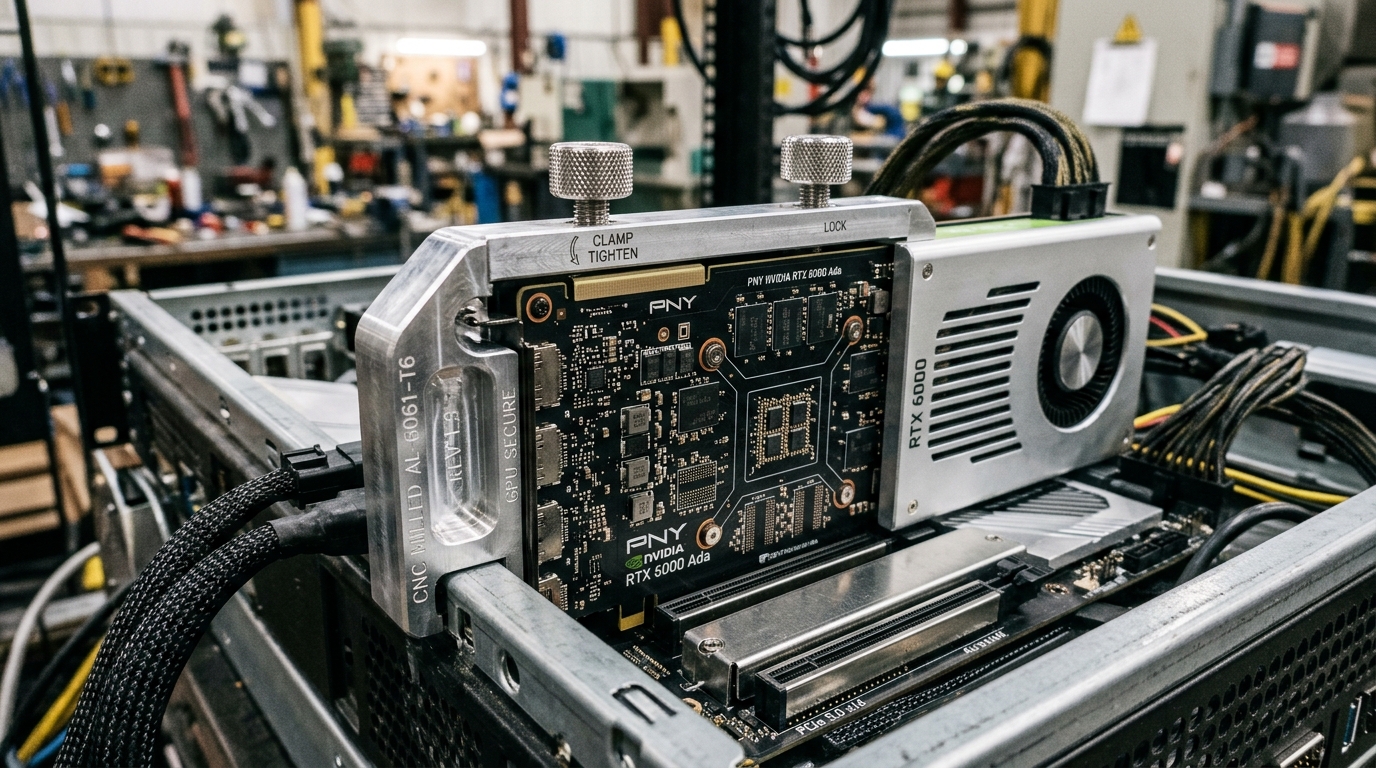
- Shock and Vibration Mitigation (GPU Retention Brackets):
- Factory floors feature machine vibration, automated conveyors, and vehicle shocks (in AGV/AMR applications).
- Heavy cards held solely by 1 or 2 rear bracket screws will suffer from micro-fretting corrosion on PCIe contacts, signal dropouts, or fractured motherboard slots.
- Essential Design: Industrial GPU systems must include adjustable card retainer bars or edge-clamping brackets (as pictured above) that lock both the front and rear of the graphics card to the chassis frame.
4. Thermal Management: Why IPCs Avoid Open-Air Fans
Cooling architecture dictates operational lifespan in 24/7 industrial deployments:
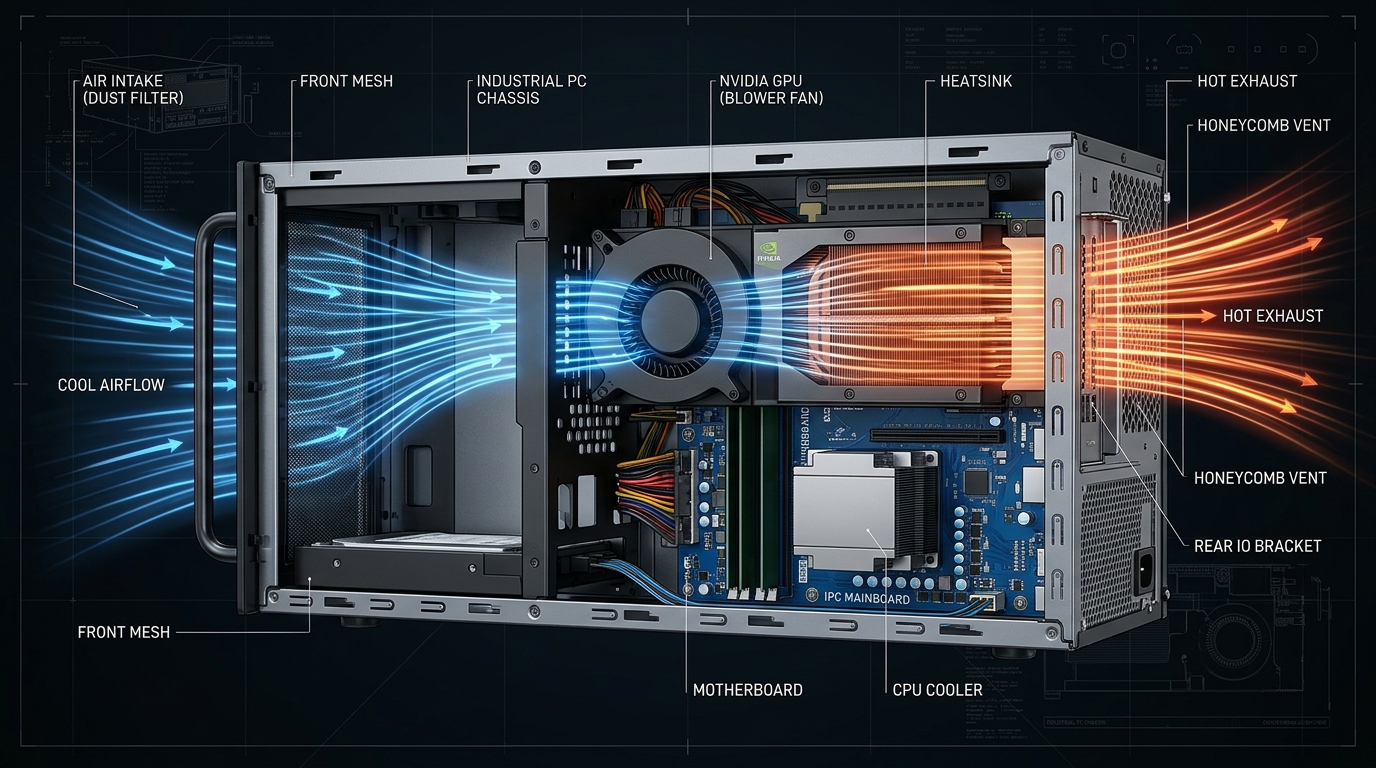
- ❌ Axial / Open-Air Fans (Standard Consumer Design):
- Mechanism: Blows cool air onto open heatsink fins, recirculating hot exhaust into the interior of the chassis.
- Risk: In sealed or tightly packed industrial chassis, this creates hot pockets exceeding 60°C ambient, triggering thermal throttling across the CPU, RAM, and NVMe SSDs.
- Blower-Style Cooling (Centrifugal Fan, Recommended):
- Mechanism: As shown in the technical cutaway above, a blower fan pulls cool front air into a sealed shroud and exhausts heat directly out of the rear honeycomb vents.
- Advantage: Heat bypasses the interior system airflow entirely, maintaining stable temperatures in multi-card configurations and harsh conditions.
- Passive Data Center Accelerators:
- Cards like the NVIDIA L4 / T4 have no integrated fans, relying entirely on high-static-pressure chassis fans pushing continuous linear airflow through passive cooling fins.
5. Industrial GPU Selection Matrix
| Deployment Scenario | Compute / TDP Target | Recommended GPU Models | Chassis & Slot Requirements | Power Strategy |
|---|---|---|---|---|
| Lightweight SCADA / Multi-Display Control | Basic display, TDP < 40W | NVIDIA T400 / T1000 | PCIe 3.0 x16 (x4/x8 acceptable), Low-Profile | Direct slot-powered (No aux cables) |
| Production Line Edge AI / Machine Vision | Deep learning inference, TDP 70W | NVIDIA RTX A2000 / RTX 4000 SFF Ada | PCIe 4.0 x16 (Full x16 recommended), Dual-slot LP | Direct slot-powered (70W clean setup) |
| Complex 3D Vision / Multi-Stream Defect Inspection | High throughput & VRAM, TDP 115W–200W | RTX 4060 / 4070 (Blower-type) or RTX 4000 Ada | PCIe 4.0/5.0 x16, Full-Height, requires retention bracket | 8-Pin aux power + 500W+ industrial PSU |
| Ultra-Compact Fanless Expansion | Fanless embedded, TDP 35W–80W | Embedded MXM Modules | Dedicated MXM 3.1 Type A/B carrier board | Direct board power + chassis conduction block |
5-Step System Integrator Checklist
Before finalizing your bill of materials (BOM), verify these five criteria:
- Trace Lanes: Confirm whether the motherboard slot provides true electrical x16 or shared x8/x4 bandwidth.
- Audit Power: Does the GPU exceed 75W? If so, verify that the internal power supply provides dedicated 6-pin/8-pin 12V rails with 30% wattage margin.
- Measure Clearances: Check physical height, card length, and verify that adjacent I/O or expansion slots are not blocked.
- Vibration Protection: Ensure the chassis features dedicated card retention brackets or hold-down bars.
- Airflow Direction: Prioritize blower-style cards or slot-powered workstation GPUs to prevent internal heat stagnation.
If you are planning an edge AI or machine vision rollout and need validation on GPU thermal margins, wide-temperature power supplies, or custom chassis retention, contact the Yantronic engineering team for tailored hardware architecture and validation support.