
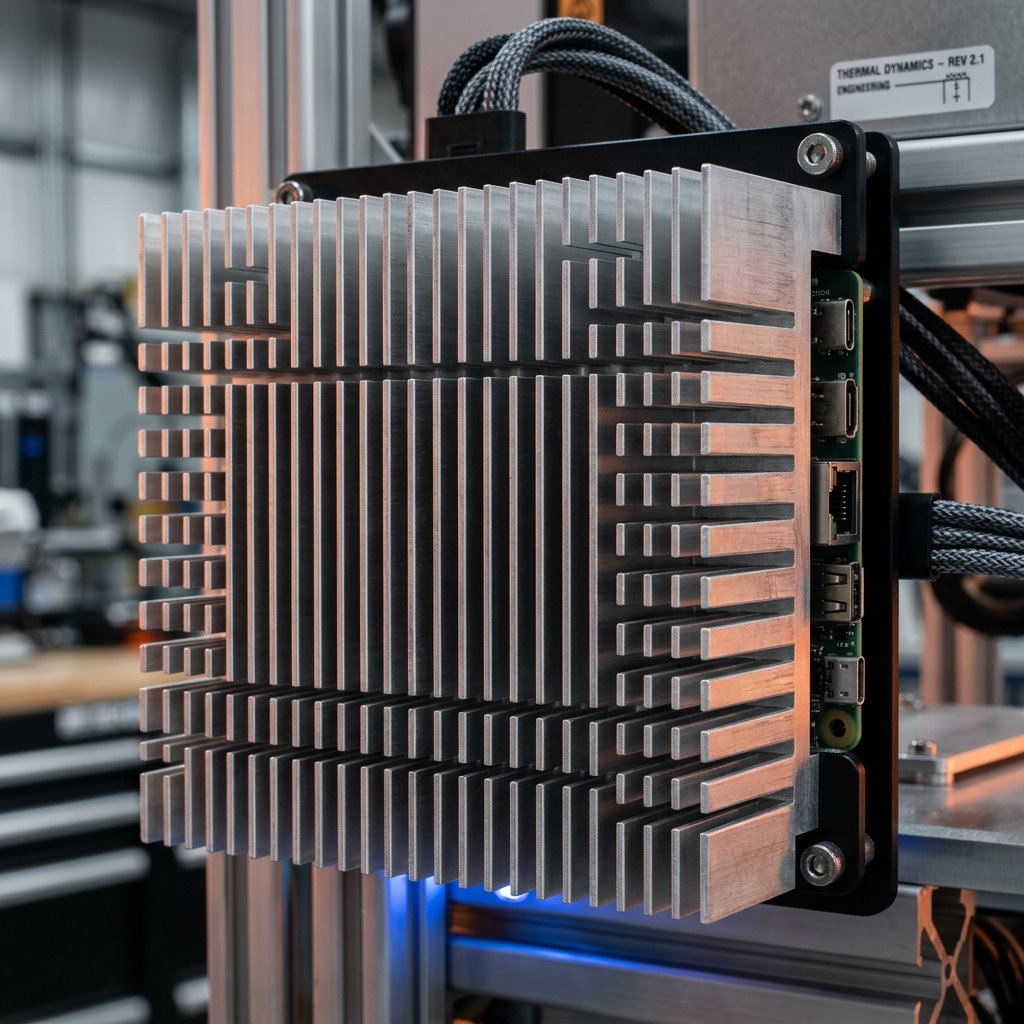
In the world of industrial computing, heat is not just an inconvenience—it is a statistical driver of failure. Standard PCs rely on active airflow, but in environments with airborne particulates or high vibration, fans are the first component to fail.
A fanless industrial computer is a thermal management system disguised as a chassis. This guide explores the engineering required to dissipate 65W+ TDP (Thermal Design Power) without a single moving part.
Why Thermal Engineering Matters
Protection rating is only half the battle. If a system is sealed (IP65+) but poorly cooled, internal temperatures will exceed the T-junction limits of the CPU, causing:
- Thermal Throttling: The CPU drops its frequency (often to <1.0GHz) to prevent self-destruction, killing real-time performance.
- Electromigration: Accelerated aging of semiconductor traces due to sustained high heat.
- Component Failure: Capacitors and VRMs (Voltage Regulator Modules) are particularly sensitive to ambient heat within the enclosure.
Cooling Strategy Decision Matrix
This matrix helps engineers choose the right cooling architecture based on the deployment environment and workload density.
| Feature | Passive Cooling (Fanless) | Active Cooling (Fans) | Liquid Cooling (Cold Plates) |
|---|---|---|---|
| Ingress Risk | Zero (Sealed) | High (Pulls in dust/oil) | Low (Sealed loop) |
| Reliability | Extreme (10+ years) | Moderate (3-5 years) | Complex (Pump failure risk) |
| Maximum TDP | Up to ~100W | 300W+ | 1000W+ |
| Maintenance | None | Regular filter cleaning | Coolant flushing |
| Best Fit | Factory floor, Edge AI, Outdoor | Dense Server Racks | HPC, High-end Rendering |
The Three Pillars of Passive Dissipation
1. The Critical Path: Thermal Resistance (Rth)
In engineering, we don't just "move" heat; we manage the resistance to its flow. The goal is to minimize the total Thermal Resistance (Rth) from the CPU core to the ambient air.
- TIM Choice: Standard thermal grease can dry out. High-performance fanless systems use Phase Change Materials (PCM) that turn from solid to liquid at operating temperatures, filling every microscopic void for maximum conductivity.
- Pressure Matching: The thermal block must be mounted with calibrated tension to ensure optimal contact pressure without damaging the PCB.
2. High-Speed Transport: Heat Pipe Physics
When the distance from the CPU to the chassis fins exceeds a few millimeters, simple aluminum conduction is too slow ($k \approx 205 W/m\cdot K$). Engineers embed wick-structure copper heat pipes ($k_{effective} > 10,000 W/m\cdot K$).
- The Cycle: Internal fluid evaporates at the hot end, travels at sonic speeds to the cold end (chassis), condenses, and returns via capillary action.
- Limit: Heat pipes have a "Dry Out" limit—if the CPU generates heat faster than the fluid can return, cooling fails catastrophically.
3. Final Dissipation: Natural Convection & Fin Geometry
The outer chassis uses extruded aluminum fins to maximize surface area.
- The Chimney Effect: Vertical mounting allows hot air to rise, creating a low-pressure zone that pulls cooler air in from the bottom.
- Fin Pitch: If fins are too close together, air friction (boundary layer interference) prevents airflow. If too far apart, surface area is wasted. The "Sweet Spot" is typically 5mm - 8mm for natural convection.
Common Myths & Reality Checks
Myth: "Fanless PCs can't handle high performance."
Reality: Modern 13th/14th Gen Intel Core and NVIDIA Jetson Orin modules are specifically designed with power-scaling profiles. A properly engineered 65W fanless system can outperform a 125W fanned system that is "throttling" due to clogged filters.
Myth: "If the case is hot, the PC is failing."
Reality: A hot chassis is a working heatsink. If the case is cool but the software is slow, it means the heat is trapped inside on the CPU. The chassis should be the hottest part of the external system.
Selection & Deployment Checklist
Use this 5-point verification before sending a fanless requirement to procurement:
- Workload TDP vs. Rating: Is your software truly utilizing 100% CPU, or is it bursty? Choose a chassis rated for your peak sustained load.
- Orientation: Can you mount the unit with fins oriented vertically? (Horizontal mounting can reduce cooling efficiency by 20-30%).
- Cabinet Volume: Is there at least 2-3 inches of clearance around the fins for air to circulate?
- Ambient Headroom: If your environment reaches 45°C, choose a PC rated for 60°C to account for the internal temperature rise in the cabinet.
- I/O Thermal Impact: High-speed NVMe drives and POE (Power over Ethernet) ports generate significant internal heat. Ensure the thermal design covers these "secondary" heat sources.
Recommended hardware platforms
- YX-E510 Expandable Fanless Industrial PC: Extruded aluminum chassis with heavy fin cooling, rated for -20°C to 60°C wide temperature operation under continuous sustained CPU loads.
- YX-C200 Standard Fanless Embedded System: Reliable passive heat-dissipation industrial box PC engineered for maintenance-free 24/7 industrial edge deployments.